SPOTブログ
2011/11/29

【注意】jQueryMobileのThemeRollerで出力されるコードは未だにRC2な件 #jquery #mobile
初めて触ったjQuery Mobileでいろいろ躓きつつも、SPOTの自社サイトもなんとかスマホ対応化の目処が立ちそうです。
詳しい手順は後日追って記事にしようかと思いますが、今回は取り急ぎご報告を。
今回スマホ対応をjQuery Mobileで行うにあたって、 Theme Rollerで独自のカラーテーマを作成しました。
先日(11/18)に満を持して、ついに正式版になったjQuery Mobileなのですが、実はTheme Rollerで生成したコードはRC2のままでした。
(RC3の時も忘れられてたようですね。)
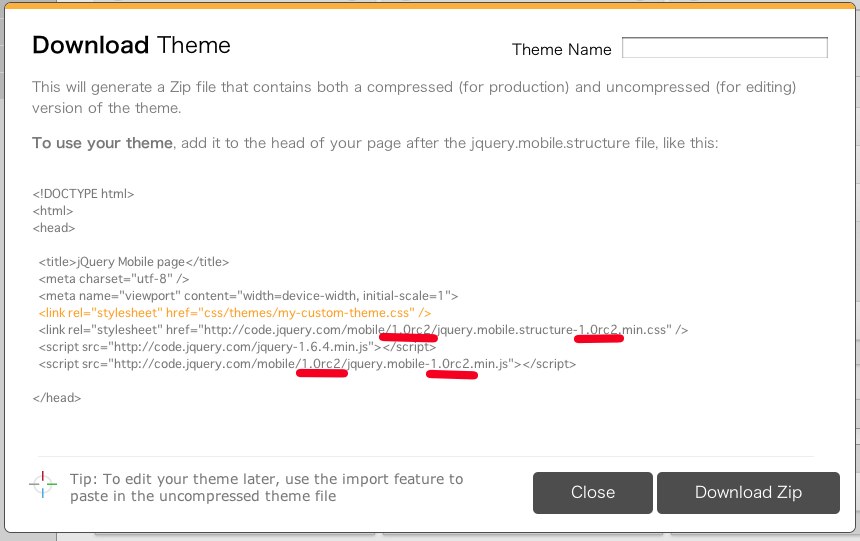
ダウンロード時のweb上の表示も、DLしたファイルのindex.html内の表示も共にこうなってしまっています。
RC2のままでどのような問題が起こるのかは把握できてないのでもしかしたら問題はないのかもしれませんが、ちょっと気持ち悪いですよね。
jquerymobile正式版1.0のファイル自体はstructureもちゃんと有るみたいなので、URLを以下のように変えておけばいいと思います。
|
1 2 3 4 |
<link rel="stylesheet" href="themes/xxxxx.min.css"> //xxxxxは自分でつけた名前 <link rel="stylesheet" href="http://code.jquery.com/mobile/1.0/jquery.mobile.structure-1.0.min.css" /> //二箇所の1.0rc2を1.0に <script src="http://code.jquery.com/jquery-1.6.4.min.js"></script> <script src="http://code.jquery.com/mobile/1.0/jquery.mobile-1.0.min.js"></script> //二箇所の1.0rc2を1.0に |
以上、Theme Rollerで出力されるコードが未だにRC2な件についてでした。


関連記事一覧

2013/07/24
CPIサーバーにwordpressをインストールする際に最初に設定すること
CPIサーバーのACE01には、CMSインストーラ機能が用意されており、簡単にwordpressなどをインストールが出来るのですが、いろいろ不具合がありますので、ボクがインストールする際に最初にす...続きを見る
2012/11/19
パララックスなjQueryスライダーSequence.jsがIEではロード中で止まってしまう件の解決方法
追記2013-1/15: v0.8 18/11/2012のアップデートにて、この問題は解決したそうです。(未確認)
最近はやりの技術といえば、やはりパララックス(parallax)。
視差効果を使っ...続きを見る
2012/01/04
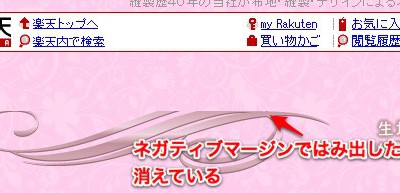
IEでネガティブマージンを適用すると、はみ出した部分が消える問題
HTMLで画像等を配置する際に、レイアウトを微調整するためにネガティブマージン(マイナス方向へのマージン)を設定することがよくあります。
ですが、ネガティブマージンを使用した場合、IEだと上図のよう...続きを見る

2012/01/25
クロスドメインのiFrameで高さ(height)を自動取得して調整する方法
クロスドメイン(別ドメイン)のhtmlをiframeで読み込んだ場合、セキュリティの都合でiframe内のdomを操作することができません。
同じドメイン内のhtmlをiframeで埋め込む場合なら...続きを見る
リンク


![はたらくホームページ制作なら、愛知県名古屋市の株式会社SPOT [スポット]](http://spot-web.jp/wp-content/themes/spot-web.jp/images/common/header-logo.png)